キーカラーを指定
静止したカメラ映像から、スポイトでグリーンまたはブルーを指定します。
Choose green or blue from a frozen camera frame with the eyedropper.
 PocketKeyer
Real-time chroma key for iPhone
iPhoneだけで、リアルタイムに背景合成。
しかも操作が簡単。
PocketKeyerは、グリーンバックやブルーバックの前で撮影した映像を、写真や動画とリアルタイムに合成するiPhoneアプリです。
PocketKeyer composites green-screen or blue-screen footage with a photo or video in real time—right on your iPhone.

Live compositing
on your iPhone
Actual PocketKeyer output
グリーンバック素材を、PocketKeyerでリアルタイムに背景合成した結果です。中央のハンドルを左右に動かして比較できます。
This composite was created in real time with PocketKeyer. Drag the handle to compare the green-screen source and the finished composite.

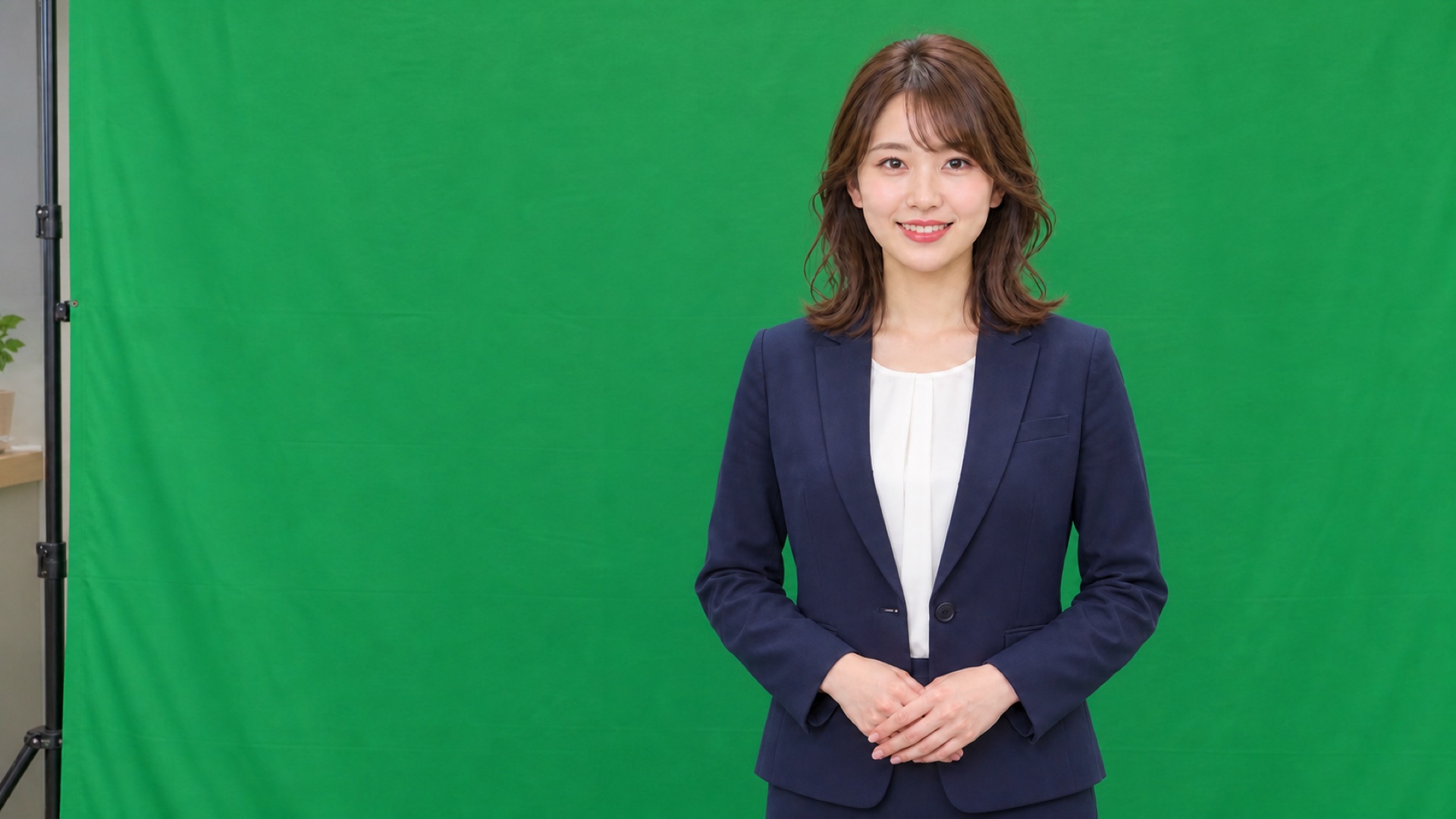
合成前の人物・グリーンバック画像はAIで作成し、背景合成はPocketKeyerで行っています。
The person and green-screen source image were AI-generated. The background composite was created with PocketKeyer.
実際のPocketKeyerによる合成結果です。仕上がりは、照明、グリーンバックの状態、撮影条件、調整内容によって変わります。
Actual PocketKeyer output. Results vary with lighting, screen condition, shooting conditions, and settings.
Shoot. Composite. Use.
撮影後に背景を切り抜くのではなく、合成結果を確認しながら撮影できます。後から行うキーイング工程を減らし、制作の流れをシンプルにします。
See the composite while you shoot. Reduce the keying work normally done afterward and keep your production workflow simple.
静止したカメラ映像から、スポイトでグリーンまたはブルーを指定します。
Choose green or blue from a frozen camera frame with the eyedropper.
写真、動画、単色、グラデーションから、使いたい背景を選びます。
Select a photo, video, solid color, or gradient as the background.
合成済みの映像を録画するか、HDMIまたはAirPlayでリアルタイムに出力します。
Record the finished composite or output it live through HDMI or AirPlay.
For video and live production
合成済みの映像を、動画・静止画・リアルタイム出力として利用できます。
Use the finished composite as recorded video, a still image, or a live video source.

音声付きで録画し、投稿用動画のキーイング工程を減らせます。
縦向きの動画や、合成済みの静止画を投稿素材として保存できます。
合成済みの映像を、配信アプリや配信機器へリアルタイムに送れます。
ビデオスイッチャーへ、合成済みの1つの映像ソースとして入力できます。
クロマキーやキーイングの基本を、結果を見ながら試せます。映像制作やバーチャルプロダクションの入り口として、学生の作品づくりにも活用できます。
For YouTube and TikTok videos, Instagram posts, live streaming, compact video-production setups, and learning the basics of chroma key compositing.
Simple controls
キーイングの基本調整は、しきい値・ソフトネス・スピル除去の3つです。
合成、マット、カメラの3つのプレビューモードで結果を確認できます。外側フェザー付きのガベージマスクにも対応しています。
The three keying controls are threshold, softness, and spill removal. Check the result in Composite, Matte, or Camera preview, and refine the active area with a feathered garbage mask.
More than a full background
PocketKeyerは、映像の中で指定した色を別の映像へ置き換えています。そのため、背景全体だけでなく、壁に貼った緑のテープなど、画面の一部分を使った表現もできます。
PocketKeyer can also replace a selected color in just part of the frame—for example, a pattern made with green tape on a wall.
Free to use
無料利用時は、合成した映像に「Made with PocketKeyer」のロゴが入ります。¥1,200の買い切りApp内課金で、ロゴを消すか、自分の画像へ差し替えられます。サブスクリプションではありません。
Every feature is free to use. A one-time ¥1,200 in-app purchase lets you remove the “Made with PocketKeyer” logo or replace it with your own image. No subscription.
Privacy by design
映像や画像の処理・保存は端末内で完結します。アカウント登録、アナリティクス、トラッキング、広告SDKはありません。
Video and image processing stays on your device. No account, analytics, tracking, or advertising SDKs.